• Various Sessions at NYSCATE

    Playing a bit of catch up here – there is so much to see/do/learn that time flies by. I’m going to reflect on a few different sessions from yesterday/today.

    • Sunday Keynote w/Marco Torres: Marco is a wonderful and inspirational person. Its easy to see why he is so successful with his students. It was a delight to listen to him share about connecting with students. I especially like how he focuses on music to make the connection.
    • Monday Morning Keynote w/Gary Marx: I first heard of Gary Marx and the Sixteen Trends during the opening day of school this year for teachers. Our superintendent talked about the trends, and I was very interested to learn more. Gary is a very entertaining speaker, but the amount of information (and number of slides) presented was too much, too fast. I think I’m going to have to get the book and try to digest it at a more manageable pace.
    • Leading from the Inside Out w/Pete Reilly: Pete spoke about the 3 major components of leadership – vision, best practices, and personal practice. He focused on the latter, and specifically on the fact that all learning about leadership is intellectual, and that leaders need time to learn to embody the skills they know intellectually. He demonstrated some simple techniques for “walking the walk” of leadership, starting with making a declaration every day (week, month, etc.) about improving a skill (for example, active listening). This was my first opportunity to hear Pete in action. I’ve heard great things about what he has been doing for NYSCATE – it’s very clear why. Pete presentation style was focused, thought-provoking, participatory and engaging. He closed with the poem, The Way It Is by William Stafford.
    • Monday Afternoon Keynote w/Milton Chen: I’ve been a huge Edutopia fan for a few years now. He shared many things that the GLEF is doing, as well as many examples of types of experiences we should be having kids do. Videos of note were A New Day for Learning and Animal School. Milton gave part of his speaker fee to fund an additional grant for NYSCATE for next year – how awesome!
    • Google’s Cool Tools for Teachers and Students w/Carol LaRow and Tom Short: Carol and Tom presented on many of the tools that Google has come out with. Carol is an author for the Google Lit Trips.

    Well, that’s enough for one day – sorry for the amount of writing – just trying to keep up with the amount of information going by…but the good news is the synthesizing posts are starting to form..those couple of thoughts that rise to the top as to what to focus on, what the overall take-aways are.
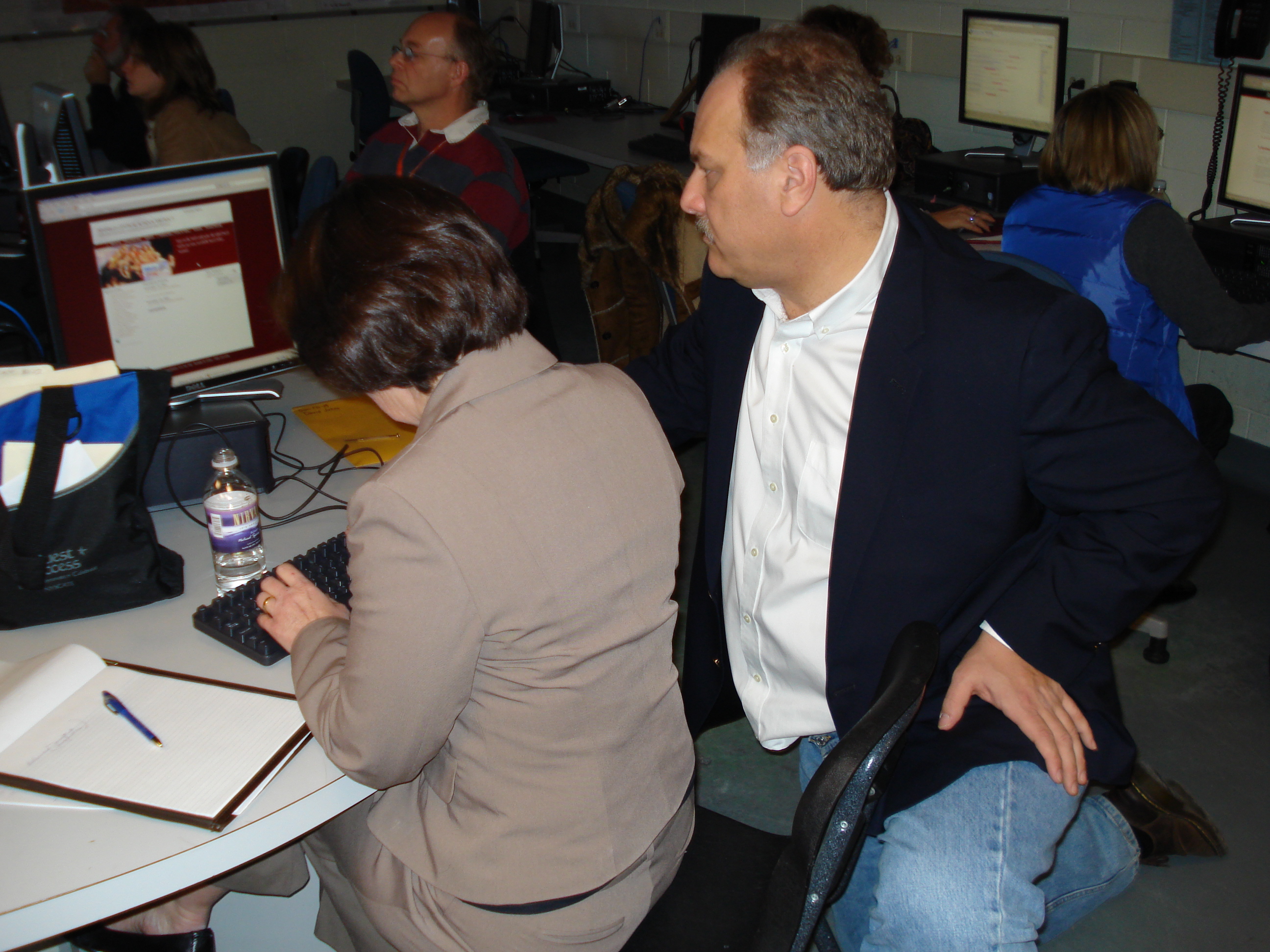
  • Digital Storytelling 2.0 with David Jakes – NYSCATE

    The presentation resources can be found  on David’s wiki page.

    One of the reasons I’ve followed David’s work for a while is his focus on digital storytelling. In this session he talked about the fundamentals of good stories, and about his influence and work with the Center for Digital Storytelling. The key to developing good stories is to start with a personal narrative, share in a circle, and discover what the true story is. Then, bring that out and build it up with images. There needs to be a fundamental theme to the story in order to be effecitve.

    The focus of the session was on the new tools now coming online to support digital storytelling. Rather than having software on the local computer, it lives on the internet, accesible from anywhere. Not all these tools are ready for prime time, but this is where storytelling is going…

    New Media
    Flickr and Flikr Storm. In Flickr Storm, you can search for Creative Commons attribution licensed work. You can add photos to a tray and create a page with selected photos. Here is a quick photo set I created when I searched for Buffalo, NY. That photo set will remain at that url as long as the Flicr Storm site exists. One way to help to protect younger children searching for photos is to create photo sets in flickr storm and link them for kids, so they don’t search themselves.

    New Tools
    Editing software is now online – JumpCut
    Storymapping.org – new tool from CDS about connecting stories to place (location)

    New Composition Strategies
    See Jon Orech’s resources on this page with tutorials

    CDS Stories for change site is a place to contribute stories with real meaning.

    Its amazing where digital storytelling has come in the last 10 years. I’ve just begun rolling it out in our schools recently, and will be presenting on that in my session on Tuesday. What’s more amazing is where storytelling is going to go in the next 5 years as these new tools mature. Thanks, David, for another great presentation!

  • Welcome to the Human Network – An Introduction to Web 2.0 with David Jakes – NYSCATE

    Presentation resources can be found here.

    The first part of the day David spent providing an overview of Web 2.0, focusing on its place in the classroom and how it “changes the game” of learning. Some of the key points as takeaways for me:

    • The key to bringing people on board and understanding Web 2.0 is to them create a personal learning environment – with a social bookmarking site (del.icio.us), aggregator (Google Reader), and possibly a blog (Blogger).
    • Blogging excels at promoting reflective writing – writing for an authentic audience vs. writing for the teacher
    • Twitter – the power is in asking questions to the network. I still see it as lots of not-so-necessary chatter that I’d rather not try to keep up with. David did model tapping into the expertise by twitting a question that came up during the workshop.
    • NetVibes – a good start page (similar to iGoogle but faster) to organize your information
    • Google Lit Trips – A very neat site that uses maps to chart the journey through a book
    • The top of Bloom’s taxonomy is now *create*
    • Darren Kuropatwa’s AP Calc blog: http://apcalc06.blogspot.com – great model for using blog in a classroom – also check out apcalc07.blogspot.com
    • furl – social bookmarking like delicious, but takes a snapshot of the page. Good for transitory pages (such as news sites) where the original page might go away after time.
    • Kids spend all their time online, in chat rooms, games, networking sites, etc. – not blogging. They need guidance on using blogs and wikis effectively, and how to make constructive comments.

    David’s 4 fundamental principles of technology in learning:

    1. Technology must support fundamental literacies that the shcool or organization believes in.
    2. The technology must extend the learning to a new place that could not be reached unless the technology was included.
    3. The technology use must be framed within proper pedagogy.
    4. There is assessment data that enables the evaluation of the learning, and of the application of technology, if possible.

    And, the 4 fundamental literacies of web 2.0: dsc00043.JPG

    1. Connect
    2. Contribute
    3. Collaborate
    4. Create

    PM: Blogger
    Blogger from Google has the management tools to be able to create a safe posting environment for students. I asked about the difference between Blogger and Class Blogmeister – Blogmeister is built to be a totally safe environment from which you can add permissions/access. In a few small places, Blogger must be modified or too much access happens automatically (‘Next Blog’ button should be edited out of the template). The apcalc06 example we looked at is a great example of a teacher “walking the walk” of blogs in the classroom.

    Del.icio.us
    Use commoncraft intro video to demonstrate for teachers. You can follow other users (network) or tags (subscriptions) within delicious. I’ve always subscribed to a tag feed from delicious and read them in Bloglines – that way all my RSS is in one place.

    Evoca:
    Publish podcasts with a cell phone on the fly…oh, so sweet (costs to make the call) direct access to post. Gcast is another service which is free, but requires a PIN when calling. Check this out:

    The above was made in exactly 30 seconds by calling the Evoca phone number and recording your message. Hats off to a colleague in this workshop, Andy Yale, for his great off-the-cuff recording!

    Way Cool Sidetrack:
    ccMixter – upload Creative Commons licensed work, others remix and mashup

    PBWiki:
    Very easy to create and manage wikis with lots of plugins.

    All in all it was a full day with lots of great ideas and thoughts. One of the reasons I wanted to attend this is that I have been following David’s writing for some time now and wanted to work with him in person. His presentation style is terrific – very unassuming, quiet, direct, and thought provoking. I also really like that he is still school-based and has an ongoing connection to the classroom. His school is very fortunate to have him.

    So for me, here are my next steps to follow up:

    • Meet with the rest of the tech facilitators in the district and have conversations on setting up personal learning environments and rolling out Web 2.0 tools.
    • Decide with tech facilitators what the key PLE tools should be and where they should be hosted
  • Constructivist Celebration – NYSCATE Preconference

    celebration-logo-small.pngThe Constructivist Celebration came to NYSCATE today. The first celebration took place at NECC back in July, and its great that we had the opportunity in New York to come together.


    Gary Stager, Executive Director of the Constructivist Consortium, and Melinda Kolk, of Tech4Learning, started the day speaking about the value and need for constructivist learning environments in our classrooms. Melinda used a very entertaining drawing of Gary (including interesting dental work) as she demonstrated animation with the software, Frames.

    The bulk of the remainder of the day was spent with us exploring some of the provided software (from Tech4Learning, LCSI, and Inspiration) to create a project. I came to this day with a plan in mind – Tech4Learning’s site, Recipes4Success has a neat lesson plan on creating a video poem that I like to share during my digital storytelling workshops. I have some ELA teachers who are interested in this project, so I wanted to create a sample to show for school.

    I used The Harbor by Carl Sandberg for my sample. Poetry is a hard topic for me to grasp, which is one of the reasons I wanted to try this. I love that the project allows for students to interpret as they see fit after analyzing the poem. Here is the poem – take a moment to digest it before viewing my interpretation:

    The Harbor (Carl Sandberg)

    Passing through huddled and ugly walls
    By doorways where women
    Looked from their hunger-deep eyes,
    Haunted with shadows of hunger-hands,
    Out from the huddled and ugly walls,
    I came sudden, at the city’s edge,
    On a blue burst of lake,
    Long lake waves breaking under the sun
    On a spray-flung curve of shore;
    And a fluttering storm of gulls,
    Masses of great gray wings
    And flying white bellies
    Veering and wheeling free in the open

    One way to portray this with pictures is to do an image search and insert pictures that would be appropriate, but I decided to take the angle of using only images available from walking around the convention center…like having a student who does not live near a harbor using images from their home area. Here is what I created – definitely a work in progress, but I’m happy with how it is coming together.

    theharbor.mov

    If I were to start over, I’d do something totally different, but that is what is so great about this project – every interpretation would, and should, be different. I did not use any of the software provided today (this was done in iMovie) since that is what our teachers will have immediate access to at school. I do see some real possibilities with the Tech4Learnings tools, which are referenced in the video poem lesson plan.

    After some sharing time of eachother’s projects, we finished with Gary making some closing remarks. I particularly liked his comment that (paraphrasing) we shouldn’t make education better so we can compete with the world…we should make education better because its the right thing to do.

    Thanks to everyone at the Consortium for a creative day, and for the Dinosaur Bar-B-Que lunch!

    Off to David Jakes in the morning – looking forward to it!

  • Just around the bend…

    …is the 2007 installment of the state educational computing conference, sponsored by NYSCATE. I’ve been browsing the program, and there are many interesting sessions to choose from. My favorite part about the conference is getting time to spend with national (and international) experts in educational technology. I’m signed up to spend a pre-conference day with David Jakes, and due to a very recent change in my schedule, I can attend the Constructivist Consortium Celebration (if there is still room) with Gary Stager, Sylvia Martinez, et al. The Celebration debuted at NECC this past July and sounded terrific. I’m glad they are bringing the celebration to New York.

    My session, Digital Storytelling to Captivate and Motivate, is on Tuesday at 10:30. I’m really excited about how it has come together. The conference last year helped push me to where I am in helping learners tell their stories (see this post from last year). My presentation is on this page here at pointatopointb.nyscate2007.jpg

    Looking forward to a great conference!

    Image citation:
    “The Quest for Success.” 2007 NYSCATE Annual Conf. New York State Assn. for Computers and Technologies in Education. 11 Nov. 2007 <http://www.nyscate.org/conferences.cfm?subpage=253>.

  • Learning is Everywhere

    I continue to be amazed at how learning opportunities are all around, and sneak up when you least expect it. Tonight I was co-teaching an inservice class, and while watching my colleague demonstrate something, I was learning many new insights and ideas for a topic I was already familiar with.

    One of the great joys of teaching is that you get to be immersed in learning every moment of every day – what a fantastic job!

    teachingaboutelectricity.gif
    Image citation:
    “Teaching about Electricity.” Online image. PowerMediaPlus.com. 23 October 2007. <http://www.powermediaplus.com>

  • Oh, and the Other Thing Today…

    So today was one of those “sneaker days” as I call them. Running from project to project and room to room. These days are awesome…

    digitaltypewriter.jpgMrs. Leone’s 8th grade spanish class finished the first digital storytelling project for the year today. Students had to be filmed in an interview situation with a partner. The content focus is to review the important basic communication elements they have learned for the past 3 years. The medium allowed them to create their own scenario for the interview. There were some clever ideas, and the time allottment was not big at all – just 3 days of classtime for editing (including exporting/burning). More importantly are 2 things: students were on task and self-directed (motivatied and captivated) since they were working on video of their own creation; and the product is tangible and lasting – the video will exist for as long as we want it to.

    We have spawned a series of storytelling projects already this year, and I think we are going to be very happy with the results!

    Image citation:
    “Typewriter with the Word Digital.” Online image. PowerMediaPlus.com. 5 October 2007. <http://www.powermediaplus.com>

  • While We’re on the Topic of Science

    Following up immediately on the previous post, and speaking of great science teachers…

    Another lesson today was with Mr. Trombley and Mrs. Krieger (current gifted programming teacher and littlegirlreadingbook.jpg former science teacher). The three of us and another teacher are working together on our Professional Study Plans. We are in year 3 , which means we do some sort of study on improving learning. We have chosen to focus on the work of Robert Marzano and his Building Academic Vocabulary meta-research. This is a district initiative and we are using science (and math) classes to do our study.

    Today was the first time to introduce the study to the students. We administered a pretest using the CPS “clickers,” followed by a lesson on learning vocabulary with the Marzano method, taught by Mrs. Krieger. Today’s group is the “focus” group and next Tuesday is the “control” group. We will evaluate the results of the unit test to see if there is any difference in scores based on how the vocabulary is taught. Throughout this year we will be rotating the focus and control groups so all the students in the class have the same opportunities.

    Its really exciting to be able to work on projects such as this. It makes learning for everyone exciting!

    Image citation:
    “Little Girl Reading Book as Words Come off the Page.” Online image. PowerMediaPlus.com. 5 October 2007. <http://www.powermediaplus.com>

  • An Answer to the “Copy and Paste” World

    Just finished a lesson today with our excellent science teacher, Mrs. Merlino. She is starting a unit on photosynthesis, and we introduced the students to the notecard tool within NoodleBib. The notecard tool allows the students to copy and paste direct quotations from a source, and then provides scaffolding for them to put what they paste into their own words, and then create their own ideas from there. It is a straight forward process that has existed long before technology, but the simple-to-use interface and anywhere-access makes this a powerful and easy resource. Within 10 or 15 minutes of overview, we were having great conversations about the right thing – how to paraphrase, and form ideas and questions. The ease and power of this tool is great.powerful.jpg

    Man, I wish I had NoodleBib while I was in school!

    Image citation:
    “Dictionary Definition: Powerful.” Online image. PowerMediaPlus.com. 5 October 2007. <http://www.powermediaplus.com>


  • Harsh – But Gets the Ball Rolling…

    In David Warlick’s book Raw Materials for the Mind (4th ed.), he has the following quote in the introduction:

    “IT Departments do not work for the technology. They work for the teachers, to make sure that teachers can use the technology to produce the learning experiences that they know need to happen in their classrooms. ”

    I feel this statement is misdirected, but starts the correct conversation. We all struggle with networks that are tied down, filtered, and otherwise “safe.” The flip-side is an open, non-obstructed system, which is just not feasible. The Internet is a great, awesome, unbelievable source of networking and information. It is also a place of danger, mis-information, and viruses. We would do a disservice to our school community to not try to protect ourselves.

    I would suggest the correct statement reads as follows:

    (IT Departments) or (Educational Technologists) or (Administrators) or (insert whatever group here) do not work for the technology. They work for the learners, to make sure that learners can use the technology to produce the learning experiences that they know need to happen in the classroom.

    Note that I purposely did not make a distinction between teacher and student when referring to learner.