Category: Conferences

  • Synthesizing NYSCATE #2 – Is Google Big Brother?

    nyscate2007.jpgLet me begin by saying that Google is awesome. The breadth and depth of tools coming out of Google each day is unreal. This post is not meant to be a “paranoia” reaction. Its just something nagging in the back of my mind. I’ll try to voice it and see if it makes sense.

    At NYSCATE, I attended 2 sessions in which the various tools of Google were presented. Some are true Google creations (Blogger, Earth, Maps, Reader, etc.), and some are independent, but linked to Google (GoogleLitTrips). There were 5 sessions at the conference which focused on some aspect of Google. They have even started a network of educators, “Google Certified Teachers.” For me personally, I have trained on it – I was a co-presenter for a hands-on workshop 2 years ago at NYSCATE on using Google.

    One of the hottest tools in recent years is Gmail. The web based email has a unique conversation hierarchy, and 5GB of storage. You can archive, rather than delete, email, resulting in the ability to track down old messages you want. You’ll notice the contact at the top of this blog is my Gmail account.

    Blogger was a great independent blogging site that Google purchased and made better. It’s easy to create and begin publishing a blog, and there are awesome examples of how Blogger blogs are lighting classrooms on fire (you must see apcalc07.blogspot.com right now if you never have before!)

    Web History is a newer tool (I believe) which can remember all of your web searches from the point that you activate it. You can go back and review old searches to find information you are trying to recall.

    Google Docs may well mark the end of the stronghold of Microsoft Office. Docs has word processing, spreadsheet, and, just recently added, presentation files available for creation and sharing. More than that, online collaboration is available with multiple users simultaneously editing the same document. Those of us from my district who attended NYSCATE are collaborating on a presentation file to summarize our take-aways from the conference. Its a simple and powerful way to bring people together virtually.

    I ‘ve really just begun to talk about what’s available. I hear many people, rightfully so, singing the praises of Google. So where is my issue? I think it comes down to the fact that all this information is stored on Google servers (a joy for any IT department since they do not have to worry about storage). Its not that I’m worried about server failure or space. Terabytes of storage are added everyday to the Google “cloud.” Its that Google is a business. Businesses are in the business of making money. In this age of Google frenzy, millions of people a day are storing information on these servers that can be used to profile them for future use. It is an advertising/marketing holy grail, far better than any grocery store loyalty card.

    By no means am I accusing Google of doing nefarious things. My concern is that we are placing a lot of eggs in one basket, and that at the end of the day, a for-profit company holds the handle of the basket. This is where I hear myself sounding paranoid – I’m not a paranoid type. Microsoft got into the OS and productivity software game early, and came on strong. Google got into the Internet game early and is coming on extremely strong. There is much talk that they will be at the table when bidding opens in January for the 700mhz bandwitdth auction by the FCC.

    Maybe this is my subconscious reacting to the riveting Epic 2014 video that I first saw a couple of years ago (take the 8 minutes now to watch it if you have not seen it). I can best sum it up by recalling something from the Constructivist Celebration pre-conference workshop on Saturday. I briefly spoke with Gary Stager and told him how I appreciated his tendency to disagree with many educational technologists. The comment he made (I’m paraphrasing here) was: If everyone thinks something is a good thing, there is something inherently bad about it (keep in mind our brief conversation was not about Google at all – this is me re-purposing his comment in my context).

    Well, that’s more than enough about this. If you managed to read this far, I would love your feedback. Tell me I’m just plain paranoid, or tell me to get a life, or anything else. But if you’ll excuse me, I have to go now. I have to go check the RSS feeds in my iGoogle account.
  • Hey – I’m In This Video!

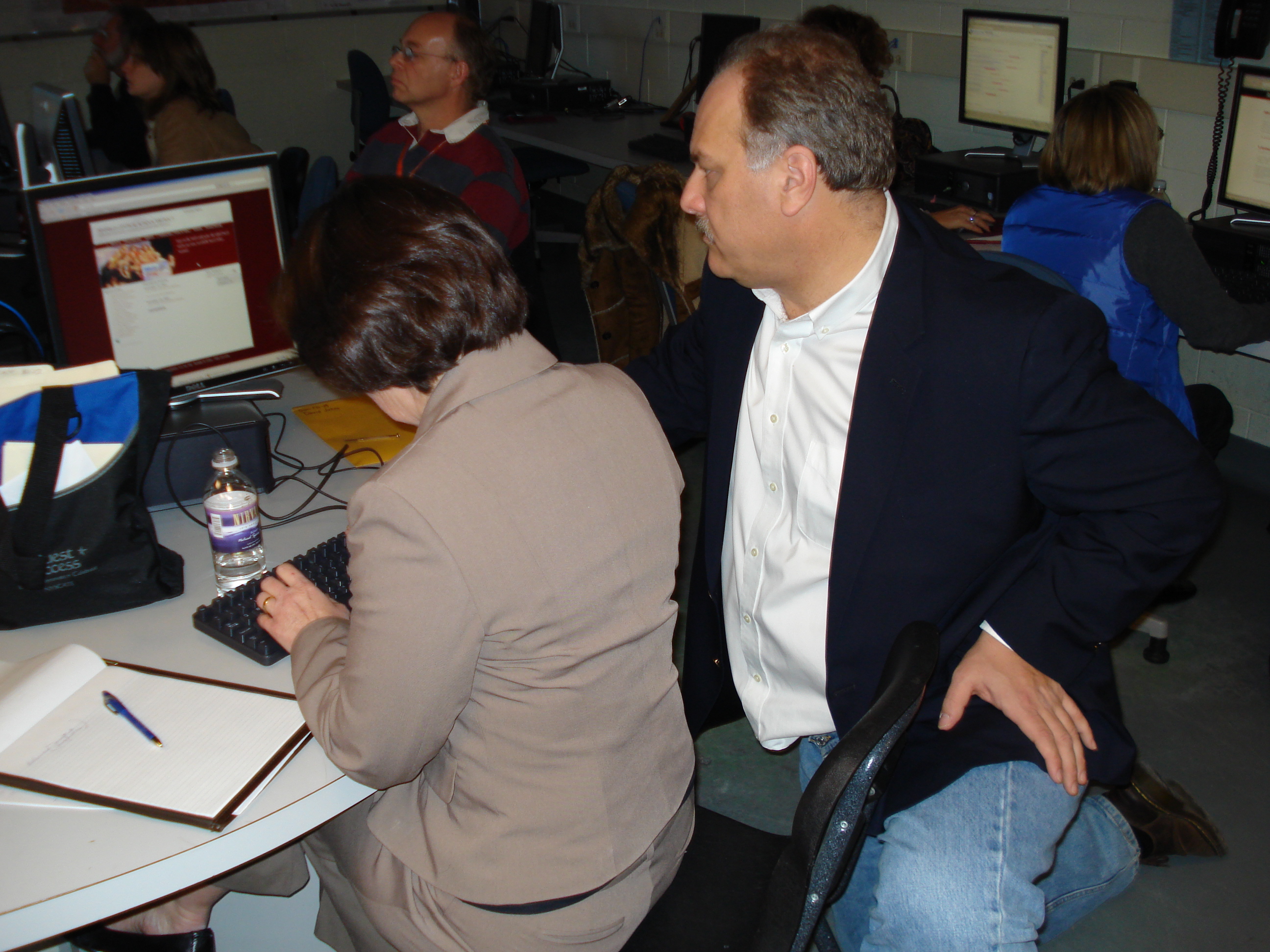
    Some “party crashers” (aka learners from another workshop) dropped into our Web 2.0 workshop with David Jakes on Sunday. They were learning movie making and took the opportunity to interview Dave. There are audio issues where the camera person is heard more than the subjects, but here is the product of their learning, posted as they intended to the world. Nice Job! You’ll see me in the back on the left side, next to my new friend Andy from Ithaca.

  • Synthesizing NYSCATE #1 – Personal Learning Environments

    nyscate2007.jpgThere was no specific session on the topic of personal learning environments (PLEs), but the concept came up many times throughout the conference as what we need to do to move forward with the new, connected, world of learning. Basically, a PLE is a learner-centered starting point, or gathering place, for an individual to create a customized space to manage his/her window to the world. See the Wikipedia article for a good overview.

    A PLE make take the form of a blog, a wiki, or a customizable start page such as iGoogle or NetVibes. Obviously it is an online presence, and includes the ability to aggregate RSS feeds and link to multiple content sources. There are larger PLE environments created in the last seven years or so. One example referenced through more than one source in the Wikipedia article is Elgg.

    Why did PLEs come up regularly at NYSCATE? Simple – web 2.0 tools put learning at our fingertips. We need a place to manage all this information in a way that is simple, meaningful and powerful. Attendees of NYSCATE are tech-oriented, and as such are much more likely to do some sort of PLE. For me, its a combination of iGoolge as a start page, this blog for writing, Bloglines for aggregating, and del.icio.us for bookmarking. Google can handle just about all of those jobs if I want it to – that’s something I’m pondering now (but a separate post is coming soon about that…).

    More importantly, if we want to push our schools forward, both teachers and students need to learn about and use PLEs, so they can take advantage of the world of learning available to them. This is the first step, and why it has synthesized as a major take-away for me. In our district we are going to be meeting soon to reflect on the conference and share where to go next (we’re going to use a Google presentation file to collaborate on our thoughts), and I’m going to suggest PLEs as a key idea.

  • Connecting the Classroom: Helping Student Build Global Learning Networks w/Will Richardson – NYSCATE

    While the title of this session was clear, Will started by inviting the conversation to go in any desired direction. We traversed many topics during the hour with some interesting points and conversations. Of note:

    • Will linked the session into usstream.tv and broadcast video/audio live via the Internet. He “advertised” the session stream via Twitter, and a dozen or so peole from around the world jumped into the chat space and had a sidebar conversation along with us. Very interesting global connection here!
    • Comment from Will (I think): If teachers do not use new tools, they won’t do it with their students.
    • Conversation: How do we as professionals maintain balance in this new world of connected tools? I call this the on-the-plate/off-the-plate discussion. For me personally, newspapers and TV are a thing of the past. Gone. Done. Stopped paying for cable a couple of years ago. That’s where I found the time to “plug-in” to the network.
    • Comment from usstream.tv chat room: Professional Development should be embedded in the curriculum areas and learning, not focused on technology.
    • Bell ringing comment of the session, from a session participant: Schools are still designed for a teaching culture – not a learning culture. Pow. Exactly. This is what needs to change.

    No clear path to the discussion, but very interesting places we went…

  • Various Sessions at NYSCATE

    Playing a bit of catch up here – there is so much to see/do/learn that time flies by. I’m going to reflect on a few different sessions from yesterday/today.

    • Sunday Keynote w/Marco Torres: Marco is a wonderful and inspirational person. Its easy to see why he is so successful with his students. It was a delight to listen to him share about connecting with students. I especially like how he focuses on music to make the connection.
    • Monday Morning Keynote w/Gary Marx: I first heard of Gary Marx and the Sixteen Trends during the opening day of school this year for teachers. Our superintendent talked about the trends, and I was very interested to learn more. Gary is a very entertaining speaker, but the amount of information (and number of slides) presented was too much, too fast. I think I’m going to have to get the book and try to digest it at a more manageable pace.
    • Leading from the Inside Out w/Pete Reilly: Pete spoke about the 3 major components of leadership – vision, best practices, and personal practice. He focused on the latter, and specifically on the fact that all learning about leadership is intellectual, and that leaders need time to learn to embody the skills they know intellectually. He demonstrated some simple techniques for “walking the walk” of leadership, starting with making a declaration every day (week, month, etc.) about improving a skill (for example, active listening). This was my first opportunity to hear Pete in action. I’ve heard great things about what he has been doing for NYSCATE – it’s very clear why. Pete presentation style was focused, thought-provoking, participatory and engaging. He closed with the poem, The Way It Is by William Stafford.
    • Monday Afternoon Keynote w/Milton Chen: I’ve been a huge Edutopia fan for a few years now. He shared many things that the GLEF is doing, as well as many examples of types of experiences we should be having kids do. Videos of note were A New Day for Learning and Animal School. Milton gave part of his speaker fee to fund an additional grant for NYSCATE for next year – how awesome!
    • Google’s Cool Tools for Teachers and Students w/Carol LaRow and Tom Short: Carol and Tom presented on many of the tools that Google has come out with. Carol is an author for the Google Lit Trips.

    Well, that’s enough for one day – sorry for the amount of writing – just trying to keep up with the amount of information going by…but the good news is the synthesizing posts are starting to form..those couple of thoughts that rise to the top as to what to focus on, what the overall take-aways are.

  • Digital Storytelling 2.0 with David Jakes – NYSCATE

    The presentation resources can be found  on David’s wiki page.

    One of the reasons I’ve followed David’s work for a while is his focus on digital storytelling. In this session he talked about the fundamentals of good stories, and about his influence and work with the Center for Digital Storytelling. The key to developing good stories is to start with a personal narrative, share in a circle, and discover what the true story is. Then, bring that out and build it up with images. There needs to be a fundamental theme to the story in order to be effecitve.

    The focus of the session was on the new tools now coming online to support digital storytelling. Rather than having software on the local computer, it lives on the internet, accesible from anywhere. Not all these tools are ready for prime time, but this is where storytelling is going…

    New Media
    Flickr and Flikr Storm. In Flickr Storm, you can search for Creative Commons attribution licensed work. You can add photos to a tray and create a page with selected photos. Here is a quick photo set I created when I searched for Buffalo, NY. That photo set will remain at that url as long as the Flicr Storm site exists. One way to help to protect younger children searching for photos is to create photo sets in flickr storm and link them for kids, so they don’t search themselves.

    New Tools
    Editing software is now online – JumpCut
    Storymapping.org – new tool from CDS about connecting stories to place (location)

    New Composition Strategies
    See Jon Orech’s resources on this page with tutorials

    CDS Stories for change site is a place to contribute stories with real meaning.

    Its amazing where digital storytelling has come in the last 10 years. I’ve just begun rolling it out in our schools recently, and will be presenting on that in my session on Tuesday. What’s more amazing is where storytelling is going to go in the next 5 years as these new tools mature. Thanks, David, for another great presentation!

  • Welcome to the Human Network – An Introduction to Web 2.0 with David Jakes – NYSCATE

    Presentation resources can be found here.

    The first part of the day David spent providing an overview of Web 2.0, focusing on its place in the classroom and how it “changes the game” of learning. Some of the key points as takeaways for me:

    • The key to bringing people on board and understanding Web 2.0 is to them create a personal learning environment – with a social bookmarking site (del.icio.us), aggregator (Google Reader), and possibly a blog (Blogger).
    • Blogging excels at promoting reflective writing – writing for an authentic audience vs. writing for the teacher
    • Twitter – the power is in asking questions to the network. I still see it as lots of not-so-necessary chatter that I’d rather not try to keep up with. David did model tapping into the expertise by twitting a question that came up during the workshop.
    • NetVibes – a good start page (similar to iGoogle but faster) to organize your information
    • Google Lit Trips – A very neat site that uses maps to chart the journey through a book
    • The top of Bloom’s taxonomy is now *create*
    • Darren Kuropatwa’s AP Calc blog: http://apcalc06.blogspot.com – great model for using blog in a classroom – also check out apcalc07.blogspot.com
    • furl – social bookmarking like delicious, but takes a snapshot of the page. Good for transitory pages (such as news sites) where the original page might go away after time.
    • Kids spend all their time online, in chat rooms, games, networking sites, etc. – not blogging. They need guidance on using blogs and wikis effectively, and how to make constructive comments.

    David’s 4 fundamental principles of technology in learning:

    1. Technology must support fundamental literacies that the shcool or organization believes in.
    2. The technology must extend the learning to a new place that could not be reached unless the technology was included.
    3. The technology use must be framed within proper pedagogy.
    4. There is assessment data that enables the evaluation of the learning, and of the application of technology, if possible.

    And, the 4 fundamental literacies of web 2.0: dsc00043.JPG

    1. Connect
    2. Contribute
    3. Collaborate
    4. Create

    PM: Blogger
    Blogger from Google has the management tools to be able to create a safe posting environment for students. I asked about the difference between Blogger and Class Blogmeister – Blogmeister is built to be a totally safe environment from which you can add permissions/access. In a few small places, Blogger must be modified or too much access happens automatically (‘Next Blog’ button should be edited out of the template). The apcalc06 example we looked at is a great example of a teacher “walking the walk” of blogs in the classroom.

    Del.icio.us
    Use commoncraft intro video to demonstrate for teachers. You can follow other users (network) or tags (subscriptions) within delicious. I’ve always subscribed to a tag feed from delicious and read them in Bloglines – that way all my RSS is in one place.

    Evoca:
    Publish podcasts with a cell phone on the fly…oh, so sweet (costs to make the call) direct access to post. Gcast is another service which is free, but requires a PIN when calling. Check this out:

    The above was made in exactly 30 seconds by calling the Evoca phone number and recording your message. Hats off to a colleague in this workshop, Andy Yale, for his great off-the-cuff recording!

    Way Cool Sidetrack:
    ccMixter – upload Creative Commons licensed work, others remix and mashup

    PBWiki:
    Very easy to create and manage wikis with lots of plugins.

    All in all it was a full day with lots of great ideas and thoughts. One of the reasons I wanted to attend this is that I have been following David’s writing for some time now and wanted to work with him in person. His presentation style is terrific – very unassuming, quiet, direct, and thought provoking. I also really like that he is still school-based and has an ongoing connection to the classroom. His school is very fortunate to have him.

    So for me, here are my next steps to follow up:

    • Meet with the rest of the tech facilitators in the district and have conversations on setting up personal learning environments and rolling out Web 2.0 tools.
    • Decide with tech facilitators what the key PLE tools should be and where they should be hosted
  • Constructivist Celebration – NYSCATE Preconference

    celebration-logo-small.pngThe Constructivist Celebration came to NYSCATE today. The first celebration took place at NECC back in July, and its great that we had the opportunity in New York to come together.

    Gary Stager, Executive Director of the Constructivist Consortium, and Melinda Kolk, of Tech4Learning, started the day speaking about the value and need for constructivist learning environments in our classrooms. Melinda used a very entertaining drawing of Gary (including interesting dental work) as she demonstrated animation with the software, Frames.

    The bulk of the remainder of the day was spent with us exploring some of the provided software (from Tech4Learning, LCSI, and Inspiration) to create a project. I came to this day with a plan in mind – Tech4Learning’s site, Recipes4Success has a neat lesson plan on creating a video poem that I like to share during my digital storytelling workshops. I have some ELA teachers who are interested in this project, so I wanted to create a sample to show for school.

    I used The Harbor by Carl Sandberg for my sample. Poetry is a hard topic for me to grasp, which is one of the reasons I wanted to try this. I love that the project allows for students to interpret as they see fit after analyzing the poem. Here is the poem – take a moment to digest it before viewing my interpretation:

    The Harbor (Carl Sandberg)

    Passing through huddled and ugly walls
    By doorways where women
    Looked from their hunger-deep eyes,
    Haunted with shadows of hunger-hands,
    Out from the huddled and ugly walls,
    I came sudden, at the city’s edge,
    On a blue burst of lake,
    Long lake waves breaking under the sun
    On a spray-flung curve of shore;
    And a fluttering storm of gulls,
    Masses of great gray wings
    And flying white bellies
    Veering and wheeling free in the open

    One way to portray this with pictures is to do an image search and insert pictures that would be appropriate, but I decided to take the angle of using only images available from walking around the convention center…like having a student who does not live near a harbor using images from their home area. Here is what I created – definitely a work in progress, but I’m happy with how it is coming together.

    theharbor.mov

    If I were to start over, I’d do something totally different, but that is what is so great about this project – every interpretation would, and should, be different. I did not use any of the software provided today (this was done in iMovie) since that is what our teachers will have immediate access to at school. I do see some real possibilities with the Tech4Learnings tools, which are referenced in the video poem lesson plan.

    After some sharing time of eachother’s projects, we finished with Gary making some closing remarks. I particularly liked his comment that (paraphrasing) we shouldn’t make education better so we can compete with the world…we should make education better because its the right thing to do.

    Thanks to everyone at the Consortium for a creative day, and for the Dinosaur Bar-B-Que lunch!

    Off to David Jakes in the morning – looking forward to it!

  • Just around the bend…

    …is the 2007 installment of the state educational computing conference, sponsored by NYSCATE. I’ve been browsing the program, and there are many interesting sessions to choose from. My favorite part about the conference is getting time to spend with national (and international) experts in educational technology. I’m signed up to spend a pre-conference day with David Jakes, and due to a very recent change in my schedule, I can attend the Constructivist Consortium Celebration (if there is still room) with Gary Stager, Sylvia Martinez, et al. The Celebration debuted at NECC this past July and sounded terrific. I’m glad they are bringing the celebration to New York.

    My session, Digital Storytelling to Captivate and Motivate, is on Tuesday at 10:30. I’m really excited about how it has come together. The conference last year helped push me to where I am in helping learners tell their stories (see this post from last year). My presentation is on this page here at pointatopointb.nyscate2007.jpg

    Looking forward to a great conference!

    Image citation:
    “The Quest for Success.” 2007 NYSCATE Annual Conf. New York State Assn. for Computers and Technologies in Education. 11 Nov. 2007 <http://www.nyscate.org/conferences.cfm?subpage=253>.

  • What Works in Schools

    I just finished a 3 day workshop sponsored by the school on the research of Robert Marzano and Debra Pickering. The workshop was lead by another of the Marzano group, Bea McGarvey. Bea is an entertaining speaker and shared many insights on the current state of education, and what we could/should do, based on research, to improve what we do.

    I think the most important aspect of this workshop is that it will provide everyone in the district with a common framework and language of research-based methods for improving learning. Much of what is in the research is stuff we do, but the research also indicates there are many things we should change or can do better.

    teamwork

    There were so many things covered, but here are my top “take-aways” from this week (not necessarily in priority order – just listing things that jumped out):

    • Just as doctors are experts on the human body, mechanics are experts on engine systems and pilots are experts on aerodynamics, teachers need to be experts on learning.
    • We spent quite a lot of time on on the systems of learning, including a model of the systems. I found a connection to the backdrop of learning which included the habits of mind, something I studied via the work of Art Costa.
    • The basis for Marzano’s work is, 1. Students Learn in Different Ways, and 2. Students Learn in Different Time Frames. Pretty straight forward, but Bea purposely put this slide up repeatedly, because if those are the foundationsal principles for learning, then we need to do some things differently.
    • We spent a lot of time on various pieces of the 11 factors that infludence learning (from the perspective of the school, teacher, and student). This research represents the breadth of work that Marzano undertook since his time at MCREL.
    • There are 9 proven strategies that influence learning positiviely: identifying similarities and differences, summarizing and note taking, reinforcing effort and provdiding recognition, homework and practice, nonlinquisitc perpresentations, cooperative learning, setting objective and providing feedback, generating and testing hypothesis, and cues, questions and advance organiziers. We spent time looking at a few of these.
    • Regardless of the strategy used, the goal is learning.

    The primary take-aways for me were the reaffirmation of 2 things (which I will post on separately soon…):

    1. We all own all kids in the school (that is, kids come first, and we all have to help every one of them in any way possible).
    2. Learning is why we are here.

    Reynolds, Peter H. “Teamwork.” Fablevision. 4 Aug. 2007 http://www.fablevision.com/education/clipart/index.html
    FableVision artwork on this web site copyright by Peter Reynolds/FableVision